
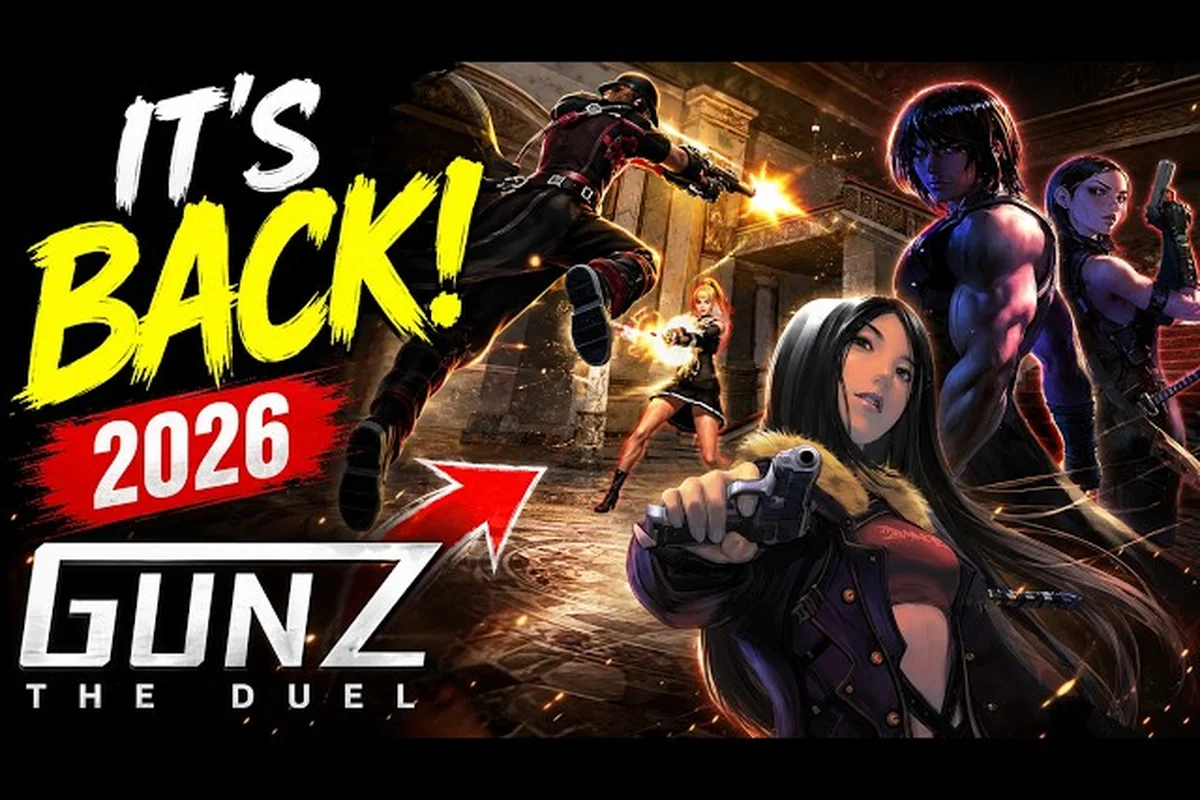
The GunZ The Duel PC requirements are surprisingly forgiving, which means even a modest office laptop can handle the remaster of the 2003 classic. Masangsoft rebuilt the game with modern netcode and Easy Anti-Cheat, yet kept the system demands low enough that K-Style movement stays accessible to everyone. Whether you are upgrading an old rig or just want to confirm your current setup works, these official specs give you the exact baseline before you download the free-to-play title from Steam.
The full GunZ The Duel PC requirements list confirms that the game targets a wide hardware range, from dual-core processors to mid-range GPUs from the GTX 900 series. What matters most for smooth dueling is not raw power but consistent frame pacing, since the game's signature animation cancels and dash-cancels demand precise timing. Players who understand their hardware limits can adjust settings intelligently rather than guessing, which is why this guide breaks down every spec tier, offers FPS boost tweaks, and explains how to get into your first match without technical hiccups.
Official GunZ The Duel PC Requirements Breakdown
The official Steam listing provides the definitive hardware baseline for the remaster, and the numbers confirm that this is one of the most accessible action shooters on the market. Masangsoft designed the game to run on hardware from nearly a decade ago, which is great news for players who have not upgraded their desktops since the mid-2010s. The minimum configuration targets 30 frames per second at low settings, while the recommended setup aims for a stable 60 FPS at medium to high presets.
| Component | Minimum Requirements | Recommended Requirements |
|---|---|---|
| Operating System | Windows 10 64-bit | Windows 10/11 64-bit |
| Processor | Intel Core i5 2.0 GHz dual-core | Intel Core i7 2.6 GHz quad-core |
| Memory | 4 GB RAM | 8 GB RAM |
| Graphics Card | NVIDIA GTX 960 or AMD R7 370 | NVIDIA GTX 1060 or AMD RX 580 |
| DirectX | Version 9.0c | Version 11 |
| Storage | 4 GB available space | 4 GB SSD recommended |
The gap between minimum and recommended specs is wider than most modern shooters, which means players with older GPUs still have a viable path to competitive play. The GTX 960 minimum handles the game's cel-shaded environments at 720p, while the GTX 1060 recommended tier unlocks smoother 1080p performance with higher texture quality. Storage requirements remain modest at 4 GB, so even players with nearly full SSDs can make room without deleting their entire library.
What surprises many players is the DirectX 9.0c requirement on the minimum tier, which reflects the game's original engine heritage despite the 2026 remaster. The recommended tier jumps to DirectX 11, which enables better shadow rendering and particle effects during intense K-Style combos. According to the GunZ: The Duel Steam page, the game also requires an internet connection for online play, and the Easy Anti-Cheat integration means Windows 10 or newer is mandatory for security updates.
FPS Boost Tweaks for Low-End Hardware
Players running below the recommended GunZ The Duel PC requirements can still enjoy competitive duels by applying targeted performance tweaks that reduce GPU load without sacrificing gameplay clarity. The game's fast-paced combat relies on visual feedback for timing, so the goal is to maintain a stable frame rate rather than chase maximum graphical fidelity. Community testing suggests that a locked 60 FPS with reduced shadows feels far better than an unstable 90 FPS with everything maxed out.
Graphics Settings That Matter Most
The in-game options menu includes several settings that disproportionately impact performance, and adjusting these three gives the biggest FPS gains on weak hardware. Shadow Quality consumes the most GPU resources per frame, so dropping it from High to Low can recover 15-20 FPS on older cards. Anti-Aliasing also carries a heavy cost, and the game's art style hides jagged edges well enough that disabling it entirely is a smart trade-off.
| Setting | Low-End Impact | Recommended Value |
|---|---|---|
| Shadow Quality | Severe FPS drop at High | Low or Off |
| Anti-Aliasing | 10-15 FPS cost | Disabled |
| Texture Quality | Minimal FPS impact | Medium |
| Effects Quality | Moderate FPS impact | Low |
| V-Sync | Frame pacing issues | Disabled |
| Resolution Scale | Direct FPS multiplier | 75-100% |
Texture Quality surprisingly has minimal impact on frame rate because the game's environments use relatively small texture files, so keeping this at Medium preserves visual detail without costing performance. Effects Quality controls particle density during sword clashes and gunfire, and lowering it helps during chaotic team fights where multiple players trigger animations simultaneously. The Resolution Scale slider acts as a direct FPS multiplier, so dropping from 100% to 75% effectively renders the game at a lower internal resolution while maintaining the UI at native sharpness.
Beyond the in-game menu, Windows-level optimizations can squeeze additional performance from weak CPUs. Setting the game's process priority to High in Task Manager helps on systems with only two cores, and disabling fullscreen optimizations in the compatibility tab prevents unnecessary overhead. Players with NVIDIA GPUs should also set the power management mode to Prefer Maximum Performance in the control panel, which prevents the card from downclocking during less demanding scenes.
How to Create a Character and Start Dueling
Once your hardware meets the GunZ The Duel PC requirements, the next step is creating a character and jumping into your first duel. The character creation screen offers a streamlined set of options that let you customize your fighter's appearance before entering the tutorial. Masangsoft keeps the system simple compared to modern RPGs, but the choices you make here affect how you look in every match, so taking a few minutes to fine-tune your avatar is worthwhile.
The process begins with selecting a gender and adjusting basic facial features, followed by choosing a hairstyle and color. The game also lets you pick a starter outfit, though the character customization guide explains how to unlock additional cosmetics through gameplay and the cash shop. After confirming your appearance, you enter a brief tutorial that teaches the core movement mechanics, including the dash-cancel and butterfly techniques that define K-Style combat.
Joining Your First Match
The matchmaking system in GunZ: The Duel offers several ways to enter combat, and understanding the options helps new players find the right pace. The Quick Match button automatically places you in a deathmatch lobby with players of similar skill, which is ideal for learning the basics. Custom Lobbies let you browse player-created rooms, where you can filter by map, game mode, and player count to find matches that suit your preferences.
| Game Mode | Player Count | Best For |
|---|---|---|
| Deathmatch | 8-16 players | Learning combat basics |
| Team Deathmatch | 8-16 players | Coordinated play |
| Duel | 2 players | One-on-one practice |
| Quest Mode | 4 players | PvE content and rewards |
Duel Mode deserves special attention because it offers a 1v1 format that lets you focus entirely on mechanical improvement without interference from other players. Many veterans recommend spending time in duel lobbies to practice wall-dashing and sword-canceling before entering larger team battles. The mode also serves as the foundation for competitive play, since tournament matches typically use the duel format to determine individual skill rankings.
How to Party Up and Team Strategies
Playing with friends dramatically improves the GunZ: The Duel experience, and the party system makes it easy to stick together across matches. The social menu lets you invite players to your party from your friends list, recent teammates, or by searching for specific usernames. Once a party is formed, the leader can queue for matches as a group, ensuring everyone lands in the same lobby and on the same team.
Parties of two to four players work best for coordinated play, since larger groups risk splitting across different teams in matchmaking. The game's party leader controls matchmaking decisions, and members can vote on map preferences before the queue starts. Communication is essential, and most serious parties use external voice chat because the in-game text system is too slow for real-time callouts during combat.
Team Composition Tips
Building a balanced party requires understanding how different playstyles complement each other in team-based modes. A typical squad includes one player focused on melee pressure, who uses sword combos to disrupt enemy formations, while a second player provides ranged support with pistols or rifles to finish weakened targets. The third and fourth slots often flex between defensive anchors and aggressive flankers depending on the map.
| Role | Primary Weapon | Responsibility |
|---|---|---|
| Melee Pressure | Sword + Dagger | Disrupt and chase |
| Ranged Support | Pistol + SMG | Finish and harass |
| Defensive Anchor | Shotgun | Hold key positions |
| Flanker | Dual Swords | Attack from angles |
The PvE party guide for quest mode covers how the same team structures apply to cooperative content, where coordinated crowd control and boss damage matter more than individual dueling skill. Quest mode rewards parties with exclusive items and currency, making it a worthwhile alternative when competitive matches feel too intense. Players who master both PvP and PvE party dynamics gain a deeper understanding of the game's combat systems, which translates to better performance across all modes.
Optimizing Network Settings for Smooth Duels
Even with perfect hardware, a poor network connection ruins the experience, and GunZ: The Duel's fast-paced combat punishes latency more than most shooters. The game's animation-cancel mechanics require precise timing, and even 30 milliseconds of added delay can mean the difference between landing a combo and eating a counterattack. Understanding how the game handles networking helps you configure your setup for the lowest possible ping.
The game uses client-side prediction for movement, which means your character responds instantly to inputs while the server validates positions. This system works well when your connection is stable, but packet loss causes rubber-banding that breaks combo timing. Players experiencing connection issues should check their router's QoS settings and prioritize gaming traffic, since background downloads or streaming can saturate bandwidth and introduce jitter.
Server Selection and Regional Play
GunZ: The Duel operates regional servers, and selecting the closest one to your physical location provides the lowest latency. The official website confirms that the global launch on August 13, 2026 included an NA server based in Virginia, with additional regions added based on player demand. Players in North America should see ping values under 50 milliseconds on the NA server, while those connecting from other regions may need to accept higher latency or wait for regional expansions.
| Region | Server Location | Expected Ping |
|---|---|---|
| North America | Virginia, USA | 10-50 ms |
| Europe | Frankfurt, Germany | 20-60 ms |
| Asia | Seoul, South Korea | 10-40 ms |
| South America | São Paulo, Brazil | 30-70 ms |
The network settings menu displays your current ping and packet loss statistics in real time, which helps diagnose connection problems before they ruin matches. Players with unstable Wi-Fi should consider a wired Ethernet connection, since wireless interference causes intermittent packet loss that the game's prediction system cannot fully mask. The keybinds and settings guide covers additional configuration options, including how to bind quick-communication keys for faster team coordination.
Frequently Asked Questions
What are the minimum GunZ The Duel PC requirements?
The minimum GunZ The Duel PC requirements include Windows 10, an Intel Core i5 dual-core processor at 2.0 GHz, 4 GB RAM, and a GTX 960 or R7 370 graphics card. You also need DirectX 9.0c and 4 GB of free storage space. This configuration targets 30 FPS at low settings.
Can I run GunZ: The Duel on a laptop with integrated graphics?
Yes, many laptops with modern integrated graphics like Intel Iris Xe or AMD Radeon Vega can run the game at playable frame rates. Lower the resolution scale to 75% and disable shadows to maintain 60 FPS. The game's modest requirements make it surprisingly playable on thin-and-light notebooks.
How do I create a character in GunZ: The Duel?
Launch the game and select Create Character from the main menu. Choose your gender, customize facial features, hairstyle, and starter outfit, then confirm your selection. The tutorial begins immediately after creation, teaching you the core movement mechanics before you join your first match.
How do I join a match with friends?
Add your friends through the social menu, then form a party by inviting them from your friends list. The party leader queues for matchmaking, and all members join the same lobby. You can also create a custom lobby and set a password to keep the match private.
What settings should I change for the best FPS boost?
Disable shadows and anti-aliasing first, as these cost the most performance. Lower effects quality to reduce particle density, and adjust resolution scale to 75% if you still need more FPS. Set the game process to High priority in Task Manager for additional stability on dual-core systems.