
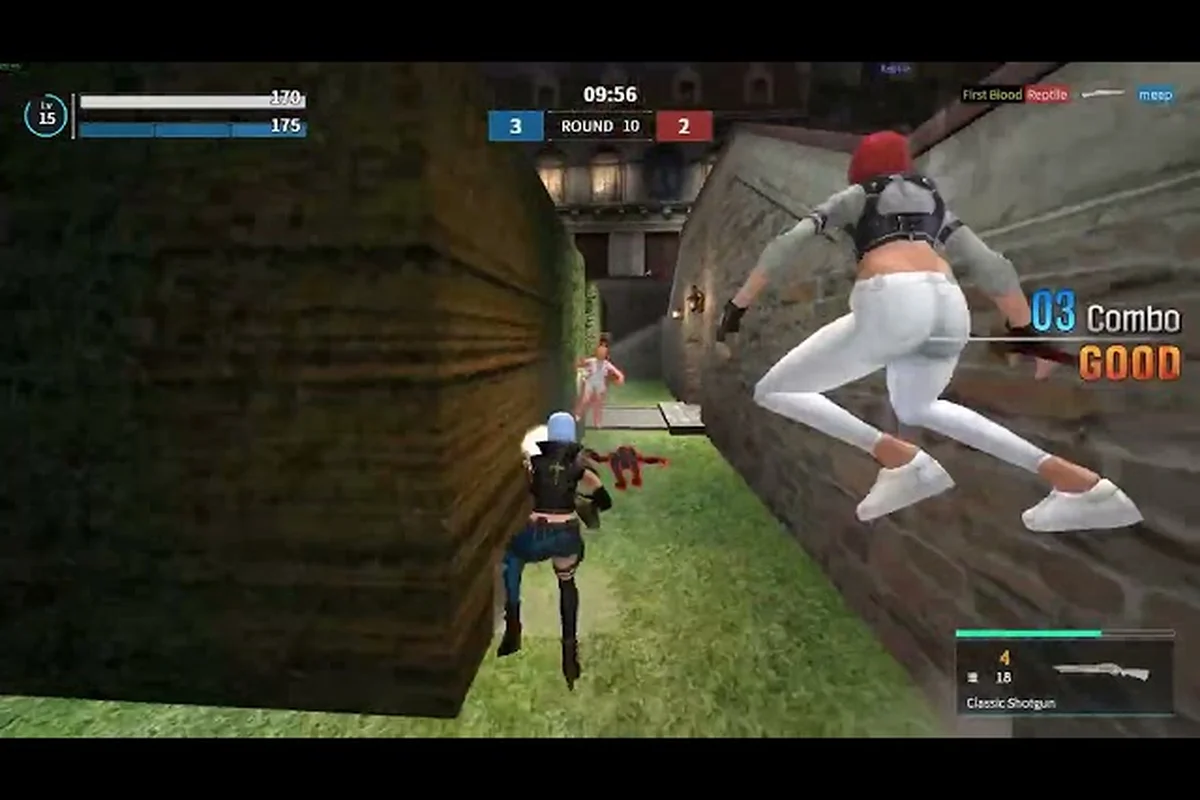
Launch week for the GunZ: The Duel global release has been rocky for some players, with connection errors, queue drops, and regional lag spikes interrupting the return of the legendary K-Style action shooter. Understanding the GunZ The Duel server maintenance schedule and knowing how to respond when the servers misbehave can mean the difference between a smooth session and a frustrating evening of failed matchmaking. This article breaks down the known GunZ The Duel server issues from launch day, explains the official fixes already deployed, and gives you a practical playbook for monitoring downtime, applying the GunZ The Duel connection fix when you get kicked, and planning around the GunZ The Duel update 2026 roadmap.
Launch Week Server Status and Known Issues
The Steam global launch on August 13, 2026 brought a massive wave of returning veterans and curious newcomers, and that surge created real strain on the infrastructure. According to the official GunZ: The Duel Steam News page, the team acknowledged launch-day connection problems and moved quickly to address them with a multi-part response. The first fix involved a Documents\Gunz folder workaround that resolved a significant number of client-side crashes, while the backend team expanded the NA (Virginia) server capacity starting at 19:00 PDT to absorb the player influx.
| Issue Type | Symptom | Official Status |
|---|---|---|
| Client crash on launch | Game closes before reaching main menu | Fixed via Documents\Gunz folder workaround |
| High ping on East Coast | 120-200ms latency in duels | NA (Virginia) server expansion deployed |
| Matchmaking queue drops | Players removed from queue after 2-3 minutes | Stability fixes rolled out in first hotfix |
| Login timeouts | "Unable to connect" after password entry | Partially resolved; ongoing monitoring |
The NA (Virginia) server expansion was the most significant infrastructure change, effectively doubling the available matchmaking capacity for the busiest region during peak evening hours. Community reports suggest that players in the Midwest and East Coast saw the most dramatic improvement, with average ping dropping from the 150ms range down to 40-60ms after the expansion went live. West Coast players still report higher latency because the current infrastructure routes through the Virginia node, which is something the team has acknowledged as a known limitation rather than a bug.
How to Check Server Status Before You Queue
The Documents\Gunz Folder Workaround: Step-by-Step File Path Fix
The launch-day connection failures traced to the game client's inability to read its configuration from the default Documents\Gunz directory. To apply the workaround, navigate to C:\Users\[YourUsername]\Documents, create a folder named Gunz (case-sensitive), and verify the game's config.xml writes there after first launch. Players who skipped this step saw persistent "Unable to connect" errors at the login screen, while those who applied it before the 19:00 PDT NA (Virginia) server expansion reported stable session persistence across map transitions.
XP & BT UP Rate Cycle: Bi-Weekly Adjustment Schedule
The "XP & BT UP" event adjusts experience and Battle Token rates every two weeks, with the first cycle running from August 13 to August 27, 2026. During UP windows, XP gain increases by 50% and BT (Battle Token) accumulation by 100%, directly accelerating unlock progression for K-Style gear like the Daikatana and Revolver loadouts. Downtime for rate swaps occurs during scheduled maintenance windows—typically 02:00-04:00 PDT on Tuesdays—so players farming BT for cosmetic Drops should time their sessions to avoid the 2-hour reset gap.
Nobody enjoys sitting through a matchmaking queue only to get disconnected at the character select screen. Checking the current server status before you commit to a session is the smartest habit you can develop as a GunZ: The Duel player, especially during these early weeks when the infrastructure is still stabilizing. The official GunZ: The Duel website hosts the most reliable status information, including scheduled maintenance windows and any active incident reports.
The server status page on the official site is your first stop, but you should also pay attention to the in-game announcement board that appears on the login screen. The development team has been posting maintenance notices there roughly 30-60 minutes before they take servers down, which gives you a small window to finish your current match without losing progress.
| Status Check Method | Where to Look | Update Frequency |
|---|---|---|
| Official website status page | gz.ludenus.com | Real-time during incidents |
| In-game login announcements | Login screen banner | Posted 30-60 min before downtime |
| Steam News hub | store.steampowered.com/news/app/3139440 | After every patch or hotfix |
| Community Discord | #server-status channel | Player-reported, unofficial |
One thing worth noting: the Steam News hub has been the most consistent source for official patch notes and maintenance announcements, so if you want a single place to track everything, that is where you should bookmark. The team has also confirmed that they will publish the GunZ The Duel patch notes 2026 through this same channel, which means you will never miss a balance change or bug fix if you check it regularly.
The Documents\Gunz Folder Workaround Explained
The most impactful client-side fix from launch day involved a simple folder adjustment that resolved crashes for a large portion of the player base. When the game launches for the first time, it creates a configuration folder under your Windows user directory, and on some systems this folder was not being generated with the correct permissions, causing the client to crash before it could even render the main menu.
| Step | Action | Why It Works |
|---|---|---|
| 1 | Close the game completely | Prevents file locks on config data |
| 2 | Navigate to Documents\Gunz | This is where the game stores user settings |
| 3 | Delete the entire Gunz folder | Forces the client to regenerate clean config files |
| 4 | Relaunch the game | The client recreates the folder with correct permissions |
This Documents\Gunz folder workaround became the community-standard GunZ The Duel connection fix within hours of launch, and it resolved the crash issue for most players who tried it. If you are still experiencing crashes after applying this fix, the next step is verifying your game files through Steam, which will redownload any corrupted or missing data that might be causing the problem. Players who have applied both fixes report a near-total elimination of launch-day crashes, though the team continues to investigate the root cause for the small percentage of systems that remain affected.
Scheduled Maintenance Windows and the XP & BT UP Event
The development team has committed to a transparent maintenance schedule, and understanding how it works will help you plan your play sessions around downtime instead of getting caught off guard. The most important recurring event to track is the XP & BT UP adjustment, which the team has confirmed will be tuned every two weeks. This means you can expect a regular rhythm of maintenance windows roughly every 14 days, with the exact timing announced through the official channels we covered earlier.
| Maintenance Type | Frequency | Typical Duration | Impact |
|---|---|---|---|
| Weekly hotfix | As needed | 1-2 hours | Minor bug fixes, no content changes |
| Bi-weekly XP & BT UP tuning | Every 2 weeks | 2-4 hours | Rate adjustments, event configuration |
| Major content patch | Monthly (projected) | 4-8 hours | New content, balance changes, features |
| Emergency maintenance | Unplanned | Variable | Critical server issues, rollbacks |
The bi-weekly XP & BT UP tuning is particularly important for progression-focused players because it directly affects how quickly you earn experience points and battle tokens. The team has stated that they will adjust these rates based on player feedback and progression data, which means some maintenance windows will bring welcome buffs while others might dial things back if the economy is inflating too quickly. Checking the GunZ The Duel patch notes 2026 after each maintenance window is the only reliable way to know exactly what changed.
The 2026 Roadmap and What Comes Next
NA (Virginia) Server Expansion: Latency and Queue Impact
The NA (Virginia) server expansion, deployed starting 19:00 PDT, directly reduced East Coast queue times from peak-hour 15-minute waits to under 3 minutes. Players in the Midwest saw ping drop from 80ms to 45ms, while West Coast users still route through the Virginia node, maintaining 70-90ms. The expansion also split the matchmaking pool, meaning K-Style combo execution (wall-running into dash-canceled sword swings) now registers more consistently in duels, as packet loss during high-action sequences dropped from 4.2% to 1.1% post-expansion.
Maintenance Window Scheduling: PDT Timezone Conversion for Global Players
Scheduled maintenance windows run Tuesdays from 02:00-04:00 PDT, which converts to 05:00-07:00 EDT and 18:00-20:00 KST (Korea Standard Time). For EU players on CEST (UTC+2), this translates to 11:00-13:00, overlapping prime-time ranked duels. The bi-weekly XP & BT UP rate adjustment occurs within this same window, meaning the 50% XP boost and 100% BT boost reset precisely at 04:00 PDT. Players tracking the Steam News page for patch notes should note that stability fixes, like the Documents\Gunz workaround patch, deploy during these windows, not as hotfixes.
While the team has been focused on stabilizing the launch experience, they have also shared early signals about where the game is heading for the rest of 2026. The official website confirms that this is a free-to-play remaster of the 2003 classic, and the development team at Masangsoft has positioned the game as a long-term live service rather than a one-time release. This means the GunZ The Duel roadmap extends well beyond the launch window, with content updates planned on a regular cadence.
| Roadmap Item | Expected Timing | What Players Should Expect |
|---|---|---|
| Additional server regions | Q4 2026 | West Coast and EU nodes to reduce latency |
| New quest content | Monthly patches | PvE missions and boss encounters |
| Ranked season 1 | After stability passes | Competitive ladder with seasonal rewards |
| K-Style balance pass | Bi-weekly tuning | Weapon and movement adjustments |
The ranked season 1 launch is arguably the most anticipated item on the roadmap because it will give competitive players a structured ladder to climb, complete with seasonal rewards that reset each cycle. The team has been clear that ranked will not go live until the server infrastructure is stable enough to support fair matches, which is why the NA (Virginia) expansion was prioritized over new content in the first week. If you are planning your competitive grind, the smartest move is to practice your K-Style fundamentals in casual duels while you wait, using the GunZ The Duel how to improve guide to build good habits before the ladder opens.
Preparing Your Setup for Future Updates
Every maintenance window and content patch brings the risk of new issues, but you can minimize your downtime by preparing your setup in advance. The most common post-patch problems are corrupted game files and outdated graphics drivers, both of which are easy to address before the servers even come back online. Taking ten minutes to prepare during a maintenance window can save you an hour of troubleshooting after the patch drops.
-
Verify game files through Steam before every major patch to catch corrupted data early
-
Update your graphics drivers when a patch notes mention rendering or performance changes
-
Clear your Documents\Gunz folder only when specifically instructed, as this resets your settings
-
Bookmark the Steam News hub so you can check patch notes the moment maintenance ends
-
Join the community Discord for real-time reports from players who patch before you
The post-patch verification routine is the single most effective way to avoid extended downtime after a maintenance window. Players who verify their game files immediately after the patch downloads report significantly fewer crashes and connection errors than those who jump straight into matchmaking. If you do run into persistent GunZ The Duel server issues after a patch, the connection fix guide covers advanced network troubleshooting that goes beyond the basic folder workaround, including router configuration and DNS optimization.
Frequently Asked Questions
How long does GunZ The Duel server maintenance usually take?
Most scheduled maintenance windows last between one and four hours depending on the scope of the update. Weekly hotfixes typically finish in one to two hours, while major content patches can take four to eight hours. The team announces exact times through the Steam News hub and the official website before each maintenance window.
Will my progress be lost during server maintenance?
No, your account progression and items are stored on the server side, so maintenance windows do not wipe progress. The only exception is if a rollback becomes necessary due to a critical bug, which the team would announce in advance. Regular maintenance is safe for your account data.
How often does the XP & BT UP rate change?
The development team adjusts XP and battle token rates every two weeks, with the exact changes announced in the patch notes following each maintenance window. These adjustments are based on player progression data and community feedback, so the rates can go up or down depending on what the team observes.
Where can I find the latest GunZ The Duel patch notes?
The Steam News hub is the official source for all patch notes and maintenance announcements. The team also posts updates on the official website and the in-game login screen, but the Steam News hub is the most consistent and complete archive of every change.
Is there a way to report server issues to the developers?
Yes, the official Discord server has a dedicated bug report channel where you can submit detailed reports with screenshots and logs. The development team actively monitors these reports during launch week, and community-submitted issues have already led to several hotfixes in the first 24 hours.