
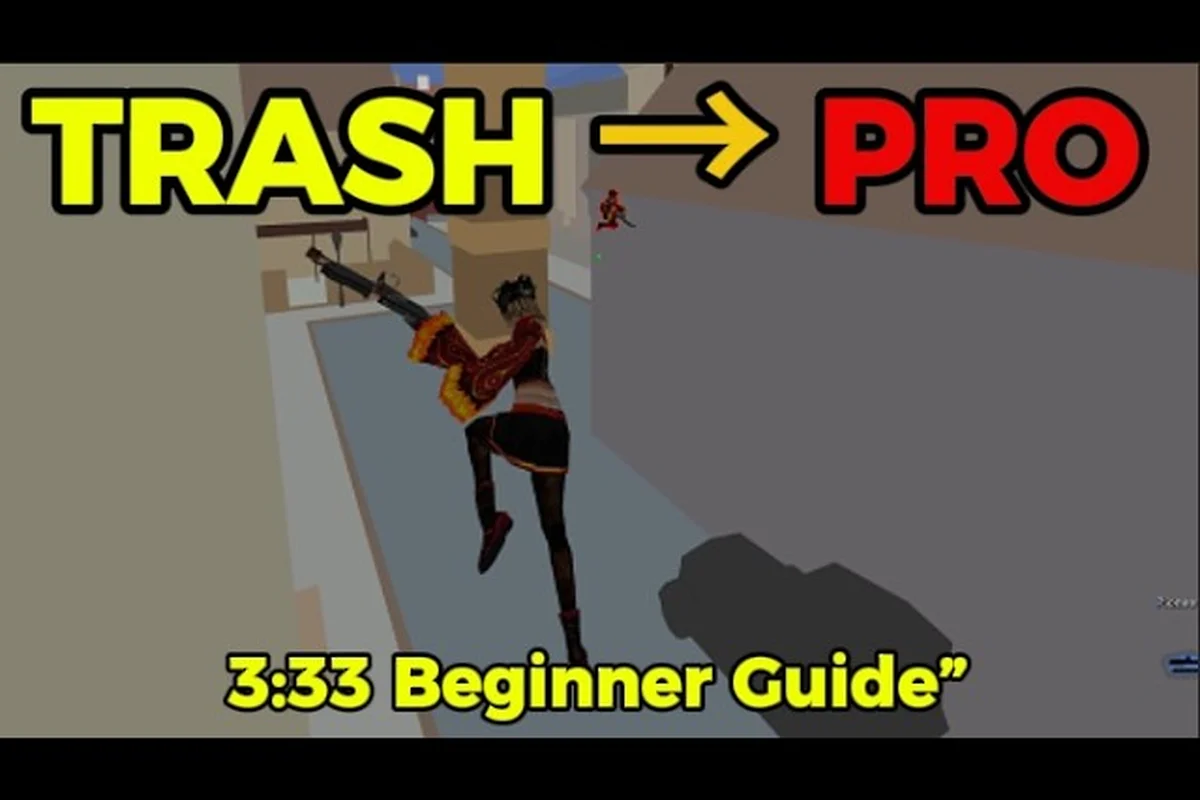
The GunZ The Duel cash shop is where permanent customization parts, weapon components, and action effects live, and knowing what to buy there directly shapes how you experience the remaster. Since the game launched globally on Steam on August 13, 2026, players have been digging into the paid currency system while also wrestling with interface readability and performance tuning. This guide walks you through the cash shop economy, breaks down every HUD element, and delivers concrete graphics settings and network tweaks that raise FPS and lower ping for cleaner duels.
GunZ The Duel Cash Shop: What to Buy and What to Skip
The in-game cash shop sells permanent character customization parts, weapon components, and action effects with no equipment-slot restrictions, according to the official GunZ: The Duel website. That last detail matters more than it sounds, because it means paid items do not gate your combat power behind a paywall, and the shop complements free Battle Tokens for players who want faster or cosmetic progression.
| Cash Shop Category | What It Contains | Permanent? | Impact on Combat |
|---|---|---|---|
| Character Customization Parts | Outfits, hairstyles, face options | Yes | None, purely visual |
| Weapon Components | Skins and visual modifiers for guns/melee | Yes | None, cosmetic only |
| Action Effects | Kill effects, spawn effects, trail effects | Yes | None, visual flair |
| Convenience Items | XP boosts, currency boosts (when available) | No, time-limited | Indirect, faster progression |
The key takeaway is that the GunZ The Duel cash shop focuses on cosmetics and convenience rather than statistical advantages. That design choice keeps the playing field level, which is exactly what a competitive action shooter needs to maintain trust with its community. If you are deciding where to spend real money, prioritize items you will see every match, like a signature outfit or a weapon skin for your most-used loadout, rather than impulse-buying every effect.
When you purchase an item, it binds to your account permanently, and the official site confirms that paid currency complements free BT for players who want faster or cosmetic progression. That means you can enjoy the full game without spending a cent, but the cash shop exists for those who value self-expression or want to accelerate their drip. For a deeper breakdown of how the free economy works alongside paid options, check the BT currency guide which explains earning rates and conversion paths.
How Paid Currency Works in the Cash Shop
Paid currency in GunZ: The Duel is separate from Battle Tokens, and the two systems run in parallel rather than overlapping. You earn BT through matches and quests, while the premium currency comes from direct purchase or occasional event rewards, and both can be spent in their respective shop tabs.
| Currency Type | How to Earn | Primary Uses | Can You Convert? |
|---|---|---|---|
| Battle Tokens (BT) | Matches, quests, events | Basic cosmetics, consumables | No, separate pools |
| Premium Currency | Real money, some events | Exclusive skins, action effects | No direct conversion |
The separation between BT and premium currency means you never have to worry about accidentally spending real money when you meant to use free tokens, and the shop interface clearly labels which currency each item requires. Players who want to stay free-to-play can still access a solid range of cosmetics through BT, though the flashiest action effects tend to sit behind premium currency. If you are on the fence about spending, wait for a seasonal sale or bundle deal, because the cash shop rotates limited-time offers that give better value than buying items individually.
GunZ The Duel HUD Explained: Reading the Interface Fast
The HUD in GunZ: The Duel shows health, ammo, and equipped weapons during matches, and understanding it at a glance separates players who react quickly from those who fumble mid-fight. Steam reviews confirm that the interface displays these core elements clearly, but new players often miss the smaller indicators that matter in clutch moments.
| HUD Element | Location | What It Shows | Why It Matters |
|---|---|---|---|
| Health Bar | Bottom left | Current HP as a percentage | Know when to disengage |
| Ammo Counter | Bottom right | Current magazine / reserve | Track reload timing |
| Weapon Slots | Bottom center | Equipped melee and ranged | Quick-swap awareness |
| Kill Feed | Top right | Recent eliminations | Track fight momentum |
| Scoreboard | Tab toggle | K/D, score, ping | Assess performance |
The health bar sits in the bottom-left corner and drains in real time, which means you need to glance at it without breaking your focus on the enemy. Ammo tracking is equally critical because GunZ: The Duel punishes empty reloads harshly, and the counter updates instantly so you always know when to swap to your melee weapon. The kill feed in the top-right corner tells you whether your team is winning trades, and experienced players use that information to decide when to push or fall back.
Customizing the HUD to Fit Your Playstyle
GunZ The Duel interface guide recommendations often start with adjusting HUD scale and opacity, because the default settings may not suit every monitor size or personal preference. The settings menu lets you resize individual elements, and you can toggle certain indicators on or off depending on what distracts you during combat.
-
Health bar scale: Increase it if you play on a large monitor or sit far from the screen, because missing your HP readout mid-fight can cost you rounds.
-
Ammo counter opacity: Lower it if you find the numbers distracting, but keep it visible enough to track reload timing.
-
Kill feed position: Some players prefer it centered near the top, while others move it to the corner to reduce visual noise.
-
Crosshair customization: Adjust color and size to contrast against bright maps, which improves aim consistency across different arenas.
The interface guide philosophy here is simple, your HUD should disappear into your peripheral awareness so you can focus entirely on movement and aim. If you find yourself staring at your health bar instead of your opponent, you need to adjust the scale or position until it becomes second nature. For players who want to fine-tune their controls alongside the interface, the keybinds and settings guide covers input configuration in detail.
GunZ The Duel Graphics Settings for Maximum FPS
The GunZ The Duel performance guide starts with the graphics settings menu, because the right configuration can double your frame rate on mid-range hardware. The remaster runs on modern engines, but the fast-paced K-Style combat demands consistent FPS rather than pretty visuals, and competitive players should prioritize performance over eye candy.
| Graphics Setting | Recommended Value | FPS Impact | Notes |
|---|---|---|---|
| Resolution | Native or 1080p | High | Lower only if FPS is unstable |
| Shadow Quality | Low or Off | High | Shadows eat GPU resources |
| Texture Quality | Medium | Medium | Keep readable textures |
| Anti-Aliasing | Off or FXAA | Medium | MSAA is expensive |
| V-Sync | Off | High | Causes input lag |
| Effects Quality | Low | Medium | Reduces particle load |
The single biggest FPS boost comes from disabling shadows and anti-aliasing, because both settings hammer the GPU disproportionately to their visual benefit in a fast-paced game. V-Sync should always be off in a competitive shooter since it introduces input lag that throws off your timing, and the game runs fine without it on most displays. Texture quality can stay at medium because you rarely stop to admire wall details during a duel, and the readability trade-off is minimal.
Advanced Performance Tweaks for Low-End Hardware
Players on older machines need to go beyond the basic settings menu, and the GunZ The Duel FPS boost strategies below come from community testing reported on Steam and the official forums. These tweaks target the engine level rather than just the graphics presets, and they can push playable frame rates on hardware that struggles with default settings.
-
Disable background recording: If you use Xbox Game Bar or NVIDIA ShadowPlay, turn them off because they continuously eat GPU resources even when you are not recording.
-
Close browser tabs: Streaming or Discord overlays consume RAM and CPU, and the game runs noticeably smoother with a clean desktop.
-
Update GPU drivers: Outdated drivers cause stuttering and frame drops, and the latest drivers often include game-specific optimizations.
-
Set power plan to High Performance: Windows may throttle your CPU under load, and the High Performance plan prevents that slowdown.
-
Lower render scale: If available, reducing render scale below 100% provides a significant FPS gain with minimal visual loss.
The performance guide also recommends monitoring your FPS with the in-game counter to verify that your changes actually help, because some settings interact in unexpected ways. If you still experience stuttering after applying these tweaks, the issue might be network-related rather than graphical, and you should check the lag and connection fix guide for solutions.
GunZ The Duel Ping Fix: Network Settings That Matter
The GunZ The Duel ping fix starts with understanding that your connection quality affects combat more than any graphics setting, because K-Style relies on precise timing that desync destroys. The game's fast-paced movement means even 20 milliseconds of extra latency can make your dashes and sword cancels feel unresponsive, and players report that server selection plays a huge role in match quality.
| Network Factor | Impact on Ping | How to Improve |
|---|---|---|
| Server Region | Highest | Pick the closest server to your location |
| Wired vs Wi-Fi | High | Use Ethernet instead of wireless |
| Background Downloads | Medium | Pause Steam updates and downloads |
| Router QoS | Medium | Enable QoS for gaming traffic |
| VPN Usage | Variable | Disable VPN unless needed for access |
The most effective ping fix is simply choosing the correct server region, because connecting to a server on another continent adds unavoidable latency that no software tweak can fix. Wired connections consistently outperform Wi-Fi in stability, and players report that even a short Ethernet cable eliminates the packet loss spikes that cause rubber-banding. Background downloads are a common hidden culprit, and pausing Steam updates while you play can reduce ping by 10-20 milliseconds in some cases.
Diagnosing and Fixing Connection Issues
If you experience persistent lag despite good ping numbers, the problem may be packet loss or jitter rather than raw latency, and these issues require different solutions. The in-game scoreboard shows your ping, but it does not display packet loss, so you may need to run a continuous ping test to a server IP to diagnose the issue.
-
Run a ping test: Open Command Prompt and ping the server IP continuously to check for packet loss and latency spikes.
-
Check for bandwidth hogs: Other devices on your network streaming video can saturate your connection and cause jitter.
-
Enable QoS: If your router supports it, prioritize gaming traffic to reduce latency during peak usage.
-
Restart your router: Simple but effective, because routers accumulate memory leaks that degrade performance over time.
Players who still experience connection problems after these steps should check whether the servers themselves are experiencing issues, because launch-week instability has been reported in Steam reviews. The server status and connectivity article tracks known outages and payment-related issues that might affect your ability to play or purchase from the cash shop.
Building Your Optimal Setup: Combining All Settings
The best GunZ The Duel performance guide approach combines graphics settings, network tweaks, and HUD customization into one cohesive setup that suits your hardware and playstyle. Rather than applying random changes, work through each category systematically and test your configuration in actual matches, because training mode performance does not always translate to real combat.
| Setup Area | Priority | Time Investment | Expected Benefit |
|---|---|---|---|
| Graphics Settings | High | 10 minutes | 30-60% FPS increase |
| Network Tweaks | High | 15 minutes | 10-30ms ping reduction |
| HUD Customization | Medium | 5 minutes | Better situational awareness |
| Input Configuration | Medium | 10 minutes | More consistent execution |
Start with graphics settings because they provide the most immediate and measurable improvement, then move to network tweaks if you still experience lag, and finally adjust the HUD once your performance is stable. The order matters because you cannot accurately judge HUD readability or input responsiveness when your game is stuttering, and fixing performance first gives you a clean baseline for other adjustments.
Testing Your Configuration in Real Matches
Once you have applied your settings, spend at least a few matches evaluating the results before making further changes, because some tweaks have trade-offs that only appear in combat. For example, lowering shadow quality improves FPS but can make it harder to spot enemies in dark corners, and you need to decide whether the performance gain outweighs the visibility loss.
-
Play 3-5 matches: Gather enough data to judge whether your FPS is stable and your ping is consistent.
-
Monitor FPS and ping: Use the in-game counters to track both metrics across different maps and game modes.
-
Adjust incrementally: Change one setting at a time so you know exactly what impacts your performance.
-
Ask for feedback: Squad up with friends and ask if your movement looks smooth to them, because desync can be invisible from your perspective.
The GunZ The Duel cash shop purchases you make will also feel better once your performance is optimized, because cosmetics and action effects are only enjoyable when the game runs smoothly. If you are new to the game and want a broader overview of what to expect, the things to know before playing guide covers the core mechanics and progression systems in detail.
Frequently Asked Questions
Is the GunZ The Duel cash shop pay-to-win?
No, the cash shop sells only cosmetic items and convenience boosts, with no equipment-slot restrictions or statistical advantages. The official site confirms that paid currency complements free Battle Tokens, and all combat-relevant items remain accessible through gameplay. This design keeps the competitive playing field fair for all players.
What is the best first purchase in the cash shop?
The best first purchase is a permanent weapon skin for your most-used weapon, because you see it every match and it never expires. Action effects are flashy but less visible during intense combat, while outfits are personal preference. Wait for seasonal bundles if you want better value for your money.
How do I fix high ping in GunZ: The Duel?
Start by selecting the closest server region, then switch from Wi-Fi to a wired Ethernet connection. Pause background downloads and enable QoS on your router if available. If problems persist, check whether server issues are affecting all players before troubleshooting your own network further.
What graphics settings give the biggest FPS boost?
Disabling shadows and anti-aliasing provides the largest FPS increase, followed by turning off V-Sync and lowering effects quality. These settings are the most GPU-intensive and least important for competitive play. Keep texture quality at medium to maintain readable visuals while maximizing performance.
Can I customize the HUD in GunZ: The Duel?
Yes. The settings menu lets you resize the health bar, move the kill feed, and toggle indicators, so you can keep ammo and equipped weapons visible mid-dash. Adjust HUD scale and opacity until your K-Style combo reads clearly. Test it in a duel before spending cash shop currency on cosmetic overlays.