
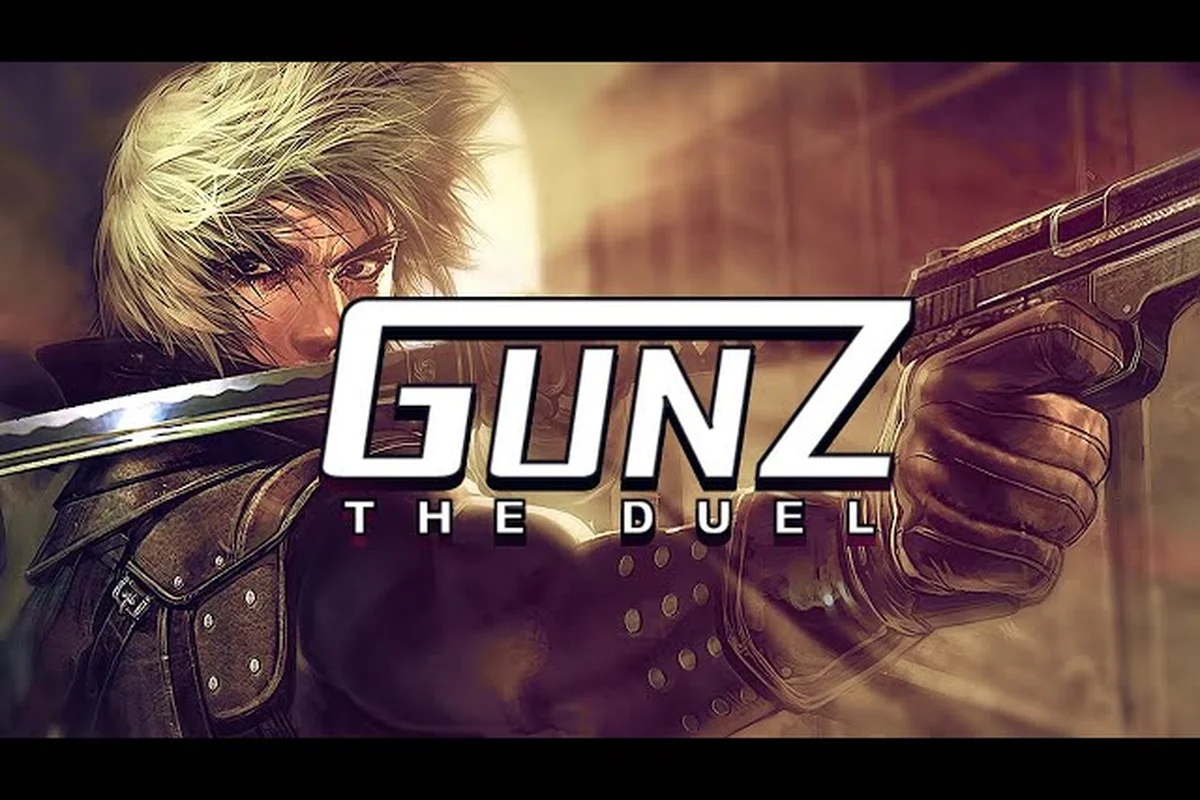
GunZ The Duel tournaments are the ultimate proving ground for K-Style mastery, and with the global Steam launch on August 13, 2026, the competitive scene is officially open. Whether you're chasing prize pools or just want to test your dash-cancel execution against the best, understanding the tournament ecosystem before you queue matters. This guide breaks down how to sign up, what the Easy Anti-Cheat requirements mean for your setup, and how to link your account so your wins actually count.
Tournament Formats and How the Competitive Ladder Works
The official GunZ The Duel tournament structure follows a seasonal model that rotates between several distinct formats, each designed to test different aspects of your combat toolkit. According to the official GunZ: The Duel website, the launch season runs through late 2026 and includes both community-organized events and developer-sanctioned cups with real prize support.
The competitive ladder currently supports three primary formats, each tailored to distinct skill brackets: 1v1 Duel (often played under the "No Armor/No Decay" rule set to emphasize raw aim and dash-cancel mechanics), 2v2 Team Deathmatch (the most common format in MAJOR League and KGB tournaments, where coordinated "sword-dash" initiations and "shotgun" follow-ups decide rounds), and 6v6 Conquest (a mode that prioritizes objective control and respawn-wave timing, frequently used in clan-league playoffs). This tiered structure ensures that players progressing from the "Training" ladder into "Master" tier face formats that scale in mechanical complexity, directly mirroring the rulesets enforced in official GunZ The Duel tournaments.
-
1v1 Duel Cups — Single-elimination brackets where pure mechanical skill decides the winner. These events favor players with crisp butterfly execution and reliable sword cancel timing.
-
3v3 Team Deathmatch Leagues — Round-robin group stages followed by playoff brackets. Team composition and communication matter as much as individual K-Style proficiency here.
-
PvE Speedrun Challenges — Timed quest clears where the fastest team wins. These events reward route knowledge and boss fight efficiency rather than pure PvP dueling.
Each format has its own registration window, and the tournament calendar is published on the official site roughly two weeks before the first qualifier. The ranking system tracks your performance across all three formats, and consistent placement in any of them contributes to your seasonal standing.
| Tournament Format | Team Size | Bracket Type | Prize Structure | Skill Focus |
|---|---|---|---|---|
| 1v1 Duel Cup | Solo | Single Elimination | Top 8 paid | Mechanical execution |
| 3v3 TDM League | 3 players | Round Robin + Playoffs | Top 4 teams paid | Coordination + positioning |
| PvE Speedrun | 4 players | Timed Leaderboard | Top 10 teams paid | Route knowledge + efficiency |
Registration for most events opens 48 hours before the first match and closes when the bracket fills. The 1v1 cups typically cap at 128 players, while the 3v3 leagues accept up to 32 teams per region. If you miss the registration window, the community Discord frequently hosts unofficial warm-up tournaments that follow the same ruleset.
Easy Anti-Cheat Setup and Why It Matters for Tournament Play
Every GunZ The Duel tournament match runs through Easy Anti-Cheat, the same kernel-level protection used by several major competitive shooters. This is non-negotiable — if the anti-cheat client isn't running when you queue, the game simply won't let you enter the match. Understanding how this system works before tournament day saves you from a disqualification that could have been avoided.
The Easy Anti-Cheat client installs automatically with the game through Steam, but it requires a few things to function correctly on your system: a stable internet connection to validate your build against the latest tournament patch, and a properly linked GunZ The Duel account—since the anti-cheat cross-references your Steam ID with your in-game profile to flag smurf accounts or prior ban evaders. During the 2024 GunZ The Duel tournaments, players who skipped the client’s post-launch integrity check were frequently dropped from ranked lobbies mid-match, costing them seeding points. Ensure your Windows firewall grants the client kernel-level access before queueing for official qualifiers.
-
Windows 10 or 11 with Secure Boot enabled — the anti-cheat driver won't load on systems with compatibility mode active.
-
Updated GPU drivers — outdated drivers can trigger false positives that flag your client as tampered.
-
No conflicting overlay software — third-party overlays from Discord, MSI Afterburner, or similar tools occasionally interfere with the anti-cheat's memory scanning.
-
Administrator privileges for the game executable — Steam typically handles this automatically, but manual installs need the flag set.
If you're running into anti-cheat errors, the most common fix is verifying game files through Steam, which re-installs the Easy Anti-Cheat runtime cleanly. The Steam news page for GunZ: The Duel has documented several server-side stability patches since launch, and the team continues to address connectivity issues that sometimes appear alongside anti-cheat initialization.
Common Easy Anti-Cheat Errors and Fixes
| Error Code | Likely Cause | Recommended Fix |
|---|---|---|
| 30005 | Corrupted anti-cheat files | Verify game integrity via Steam |
| 30034 | Blocked by antivirus | Add game folder to exclusions list |
| 10011 | Outdated client version | Restart Steam and check for updates |
| 10012 | Driver conflict | Update GPU drivers and reboot |
Players who plan to compete seriously should test their setup at least 24 hours before the tournament window opens. The last thing you want is a 30005 error appearing during your first qualifier match because you skipped the verification step. Community reports indicate that most anti-cheat issues trace back to third-party software conflicts rather than the game itself, so a clean boot environment is your best defense.
Account Linking and Registration Requirements
Before you can register for any GunZ The Duel tournament, your game account must be properly linked to the platform hosting the event. The game uses a unified account system that ties your Steam profile to your in-game progression, and tournament organizers pull your eligibility data directly from this link.
The account linking process takes about five minutes and requires the following steps: first, log into the official GunZ The Duel website and navigate to the "My Account" dashboard, then select the "Link Accounts" tab, where you will enter your tournament-registered email and the unique 12-digit verification code generated by the Easy Anti-Cheat client. This step is mandatory for all players competing in the seasonal GunZ The Duel tournaments, as the anti-cheat system cross-references your linked profile against the tournament's whitelist to prevent smurfing and account sharing—a common issue that previously led to 30-day suspensions in the 2023 Pro League qualifiers. After submitting, you must confirm the link via the email sent to your registered address, and the system will display a green "Verified" status within two minutes.
-
Launch GunZ: The Duel through Steam at least once so the game client creates your local profile.
-
Open the in-game settings menu and navigate to the Account tab to confirm your Steam ID is displayed.
-
Visit the official tournament registration page and log in with your Steam credentials — the site uses Steam's OpenID system, so you never create a separate password.
-
Verify your email address on the registration page to activate tournament notifications.
-
Check your regional server assignment — tournament brackets are region-locked to NA (Virginia), EU, and Asia clusters, and your Steam region determines which bracket you can enter.
According to the official site, the NA server infrastructure received expansion patches shortly after launch to handle the competitive player influx, and server selection directly affects your tournament latency. If you're playing from a region with no dedicated server, your ping will likely disqualify you from serious competition regardless of your mechanical skill.
What Happens If Your Account Isn't Linked
| Scenario | Consequence | Solution |
|---|---|---|
| Steam ID not recognized | Registration rejected | Complete first game launch |
| Email unverified | No tournament notifications | Check spam folder for verification link |
| Region mismatch | Wrong bracket assignment | Contact support before registration closes |
| Duplicate account | Disqualification risk | Merge accounts through support ticket |
The account linking system also ties into the game's reward distribution. Tournament prizes are delivered directly to your in-game inventory, which means an unlinked account can't receive winnings. Players who registered for the launch celebration events through the welcome rewards guide already have their accounts verified, which puts them ahead of the curve for tournament season.
Preparing Your Loadout and Settings for Competitive Play
Tournament matches run on a standardized ruleset that restricts certain weapons and items, so your casual loadout might not translate to competitive success. The tournament ruleset currently bans explosive weapons and limits each player to one melee weapon and one ranged weapon, which forces you to commit to a specific combat style.
For 1v1 duels, the meta leans heavily toward katana and revolver combinations because the katana's reach advantage pairs well with the revolver's burst damage. In 3v3 team play, you'll see more variety — one player typically runs a sword and SMG loadout for sustained pressure while teammates cover with rifles.
Your settings also need adjustment for tournament play. The competitive ruleset enforces a fixed field of view, disables motion blur, and requires raw input for mouse aiming. If you've been playing with acceleration enabled, your muscle memory will betray you in the first round. The keybinds guide covers optimal control configurations that tournament players commonly adopt, including the dash-jump key placement that makes K-Style execution more consistent.
Recommended Tournament Settings Checklist
-
Mouse sensitivity: 400-800 DPI with in-game sensitivity between 1.5 and 2.5 — most competitive players land in this range.
-
Crosshair: Static crosshair with no expansion — dynamic crosshairs add visual noise during fast dashes.
-
Graphics: Everything on low except textures — the game's art style doesn't benefit from high settings, and frame rate matters more.
-
Network: Enable the network optimization option in settings, which the Steam news page confirms reduces lag spikes on the NA server.
-
Audio: Footstep volume at 100% — sound cues matter in 1v1 duels where opponents approach from off-screen.
The movement mechanics you practice in casual matches carry over directly, but tournament pressure changes how you execute. Players who can maintain consistent butterfly execution under bracket pressure consistently outperform those with flashier but less reliable technique. The movement guide provides drills that translate well to tournament preparation, particularly the wall-run and dash-cancel sequences that create unpredictable approach angles.
Tournament Day Strategy and Match Management
Tournament day demands a fundamentally different mindset than your ranked grind on GunZ The Duel. In a double-elimination bracket, a single loss in the upper bracket doesn't just cost you the match—it forces you to reset your mental state for a lower-bracket run, where fatigue compounds with every successive fight. Unlike ranked, where a loss merely adjusts your Elo, bracket play punishes hesitation: one missed butterfly or sloppy guard break can end your entire tournament run. Managing your stamina across multiple Best-of-3 sets against varied playstyles—from K-Style dancers to turtle-style defenders—requires deliberate pacing, not just raw mechanical execution.
In 1v1 duels, the opening exchange sets the tempo. Most players open with a dash-jump approach to gauge their opponent's reaction speed, and the player who wins the first engagement often controls the match's psychological momentum. If you lose the opening exchange, don't panic — the half-step technique lets you reset distance and force your opponent to overextend.
For 3v3 team play, communication before the match matters more than individual skill. Teams that coordinate their weapon loadouts to cover complementary ranges consistently outperform teams of mechanically gifted players who all run the same setup. The standard composition is one rifle player holding mid-range angles, one SMG player pushing close quarters, and one sword player serving as the flex option.
Between-Match Routine
| Time Window | Action | Purpose |
|---|---|---|
| 10 minutes before | Warm up in training mode | Activate muscle memory |
| 5 minutes before | Review opponent's playstyle | Identify patterns |
| 2 minutes before | Adjust sensitivity if needed | Account for nerves |
| After each match | Note what worked and what didn't | Build next-round strategy |
The tournament bracket structure means you might wait 20-30 minutes between matches in early rounds. Use that time to watch other players' matches, particularly anyone in your half of the bracket. Their playstyle tells you what to expect, and you can adjust your loadout accordingly if the ruleset allows between-round changes.
Frequently Asked Questions
How do I register for GunZ The Duel tournaments?
Registration opens on the official tournament page 48 hours before each event. Log in with your Steam credentials, verify your email, and select your region. The 1v1 cups cap at 128 players, while 3v3 leagues accept 32 teams per region. Registration closes when brackets fill.
What happens if Easy Anti-Cheat fails during a tournament match?
You'll be removed from the match and given a timeout penalty. Verify your game files through Steam, ensure your GPU drivers are current, and disable conflicting overlay software before the next round. Persistent errors may require reinstalling the anti-cheat client manually.
Can I compete if my account isn't linked to Steam?
No, account linking is mandatory for tournament participation. You must launch the game through Steam at least once so your profile registers, then log into the tournament site with your Steam credentials. Unlinked accounts can't register or receive prize rewards.
What weapons are banned in tournament play?
Explosive weapons are banned in official tournaments, so you must rely on melee and ranged skill rather than splash damage. The meta favors the katana for dash-cancel combos and the revolver for burst duels. In team play, pair a rifle user with a sword specialist to cover kiting and close-quarters, avoiding single-range weaknesses.
Are tournament prizes delivered to my in-game account?
Yes, all tournament prizes are delivered directly to your in-game inventory once the event concludes. Distribution requires your Steam profile to stay linked and your email verified, per the registration requirements. If items don't appear, verify your server connection in the NA (Virginia) region to avoid sync issues.